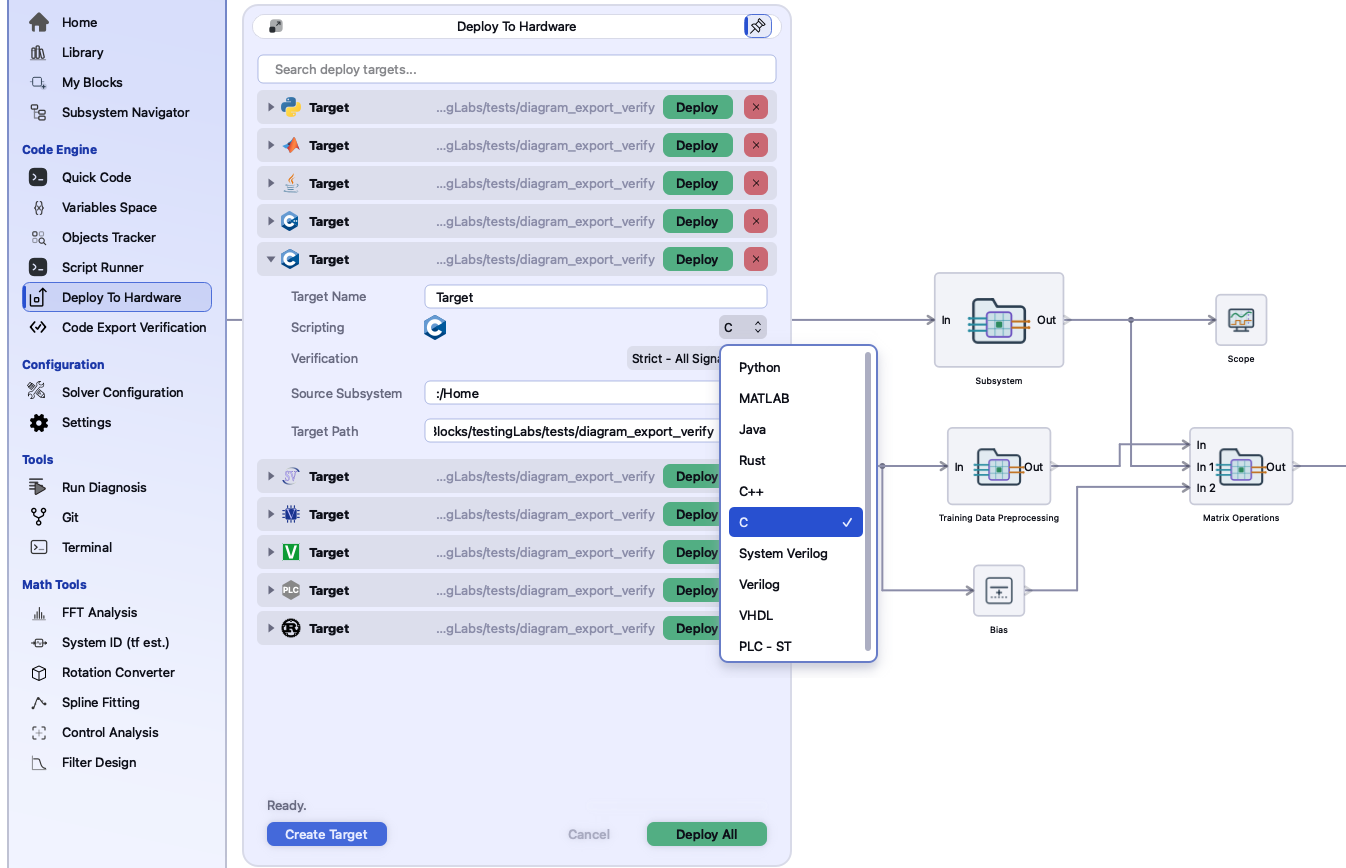
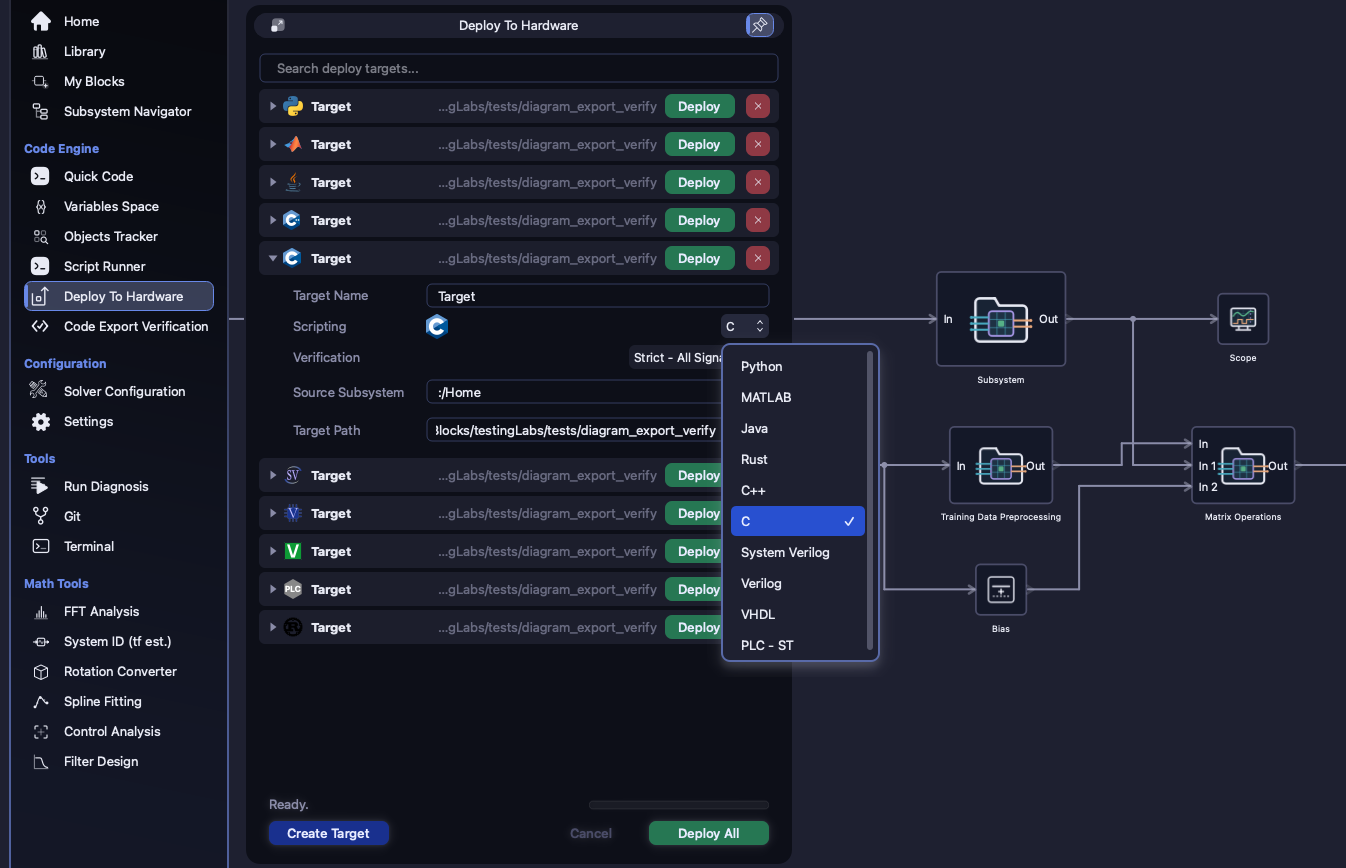
Point each target at a subsystem, pick its language, and press Deploy All.
Each target is generated at its own subsystem's rate, checked against the simulation at the
level you chose, and written into its own folder: the fast loop to the microcontroller or the FPGA,
the slow one to the PLC.
10 languages4 verification levels1 rate per coreDeploy All
One model with two rates,
deployed as three targets. The inner loop goes out twice, as a C core and a VHDL entity. The
supervisor, at a quarter of that rate, goes out as Structured Text. Each target is verified at its
own level before its folder is written. The fields, file names and status line are the panel's own.
The model and the target names are an example.
Create targets on the Deploy To Hardware panel, or under Code Engine →
Export → Deploy Targets. Targets are saved beside the project in
exportTargets.ini, so they come back when you reopen it.
Target NameWhat you call it, and how a script or
icore fire finds it.
ScriptingWhich of the ten languages it is
generated in.
VerificationNone,
Output Gates Only, Output Gates and Sink Blocks or
Strict - All Signals.
Source SubsystemWhich level of the model it is
generated from. The default is Home, the whole model.
Target PathThe folder it is written into: the one
your firmware build reads, for example.
The same targets, from a script. These are the targets the panel shows,
and they are saved with the project the same way. A relative folder is resolved against the
project, so the code sits with the model it came from.
>>> inner.fire()
inner_c exported Home/InnerLoop as C into <project>/code/inner_c:
  CMakeLists.txt
  InnerLoop_deployableCore.c
  InnerLoop_deployableCore.h
  InnerLoop_testbench.c
fire() exports now and lists the files it wrote. It never
opens a dialog. If verification fails, the export stops and prints the reason. From outside
the application, icore fire inner_c does the same.
02 · Rates
One core, one rate. Many rates, many cores.
A generated core advances at one rate: one call is one sample. So a model whose parts run at
different rates is deployed as several targets. Each one points at a subsystem that is uniform
in rate, and each is generated at that subsystem's rate. A slow supervisory loop and a fast inner loop
become two deployables, each in the language its destination needs.
Two rates, one model
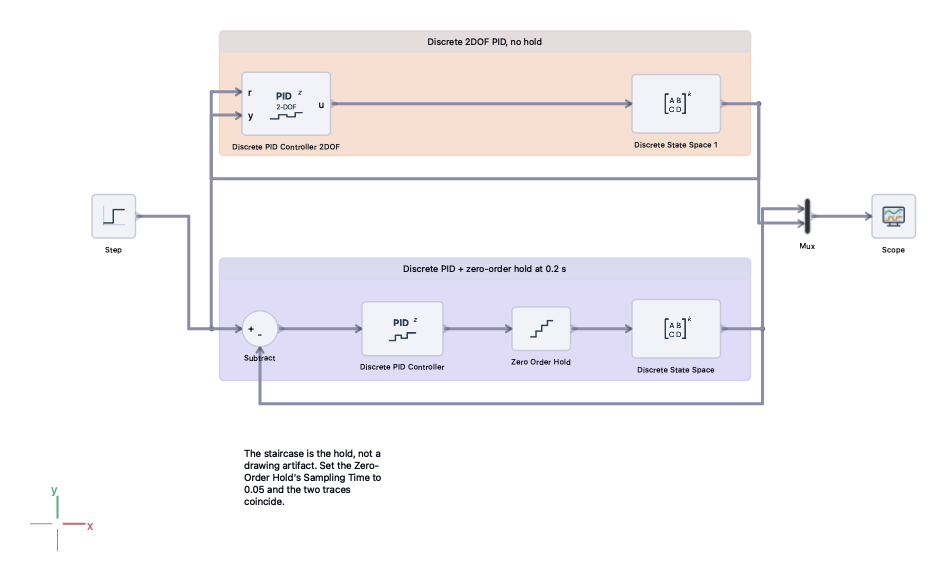
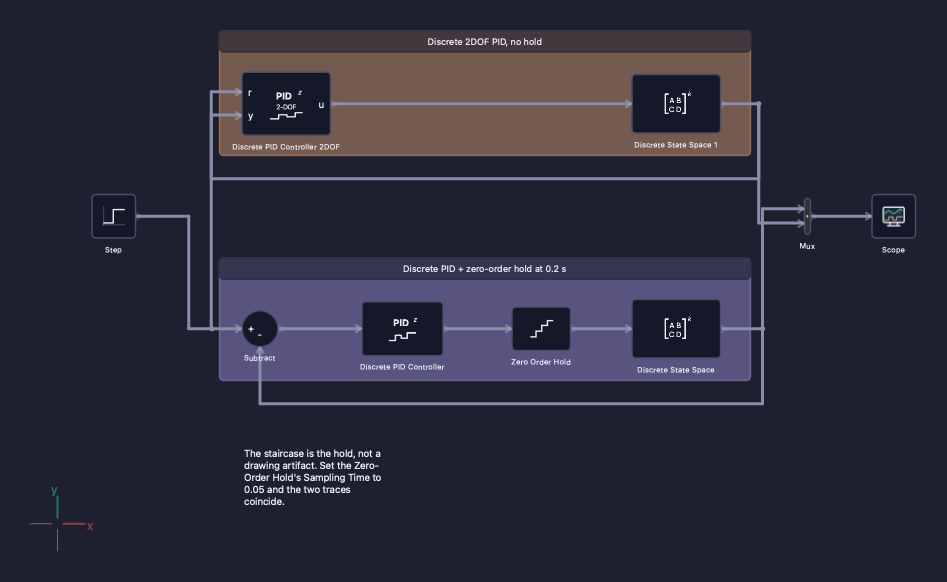
The Digital PID Loop example. Two discrete PID loops around the same plant: the
model runs at 0.05 s, and a zero-order hold in one of the loops runs at 0.2 s,
so its actuator moves only every fourth sample. A model like this deploys as several targets,
one per subsystem that is uniform in rate.
How a block gets its rate
Most blocks carry a Sampling Time (s) parameter set to -1. Zero or less
inherits the rate, and a positive value runs the block at that period. Inheritance runs
downwards through the levels. Home takes the global sampling time. A
subsystem takes its own rate if it sets one, and its parent's otherwise. So a whole subsystem is
set to its rate in one place.
If a target's subtree is not uniform in rate, the export says so and stops. It does not
pick a rate for you. The same check runs whether you press Deploy, verify, or call
fire().
! a target whose subtree mixes rates
The subsystem is multi-rate; code export verification needs a uniform sampling time.
The fix is to make the rates equal, or to clear the odd block's own
sample time so that it inherits one. For a model that really does run at two rates, split it into
two targets, one per rate.
03 · Different languages, same model
A microcontroller, an FPGA and a PLC. From one source.
Two targets don't have to share a language. The same diagram can produce a C core for a
microcontroller, a VHDL entity for the FPGA beside it, and Structured Text for the PLC, all from one
source of truth and all verified the same way.
Microcontroller
CC++
Fixed-size storage, nothing allocated at run time. DeployableCore_init(&core),
then execute_blocks(&core) once per sample. It comes with a
CMakeLists.txt.
FPGA
VHDLVerilogSystemVerilog
Every signal in Q16.16 fixed point. One rising clk edge is one sample, and there is a
testbench and a Makefile for GHDL or Icarus.
PLC
PLC - ST
IEC 61131-3 Structured Text: a FUNCTION_BLOCK FB_<name> where one call is one
scan.
Test rig
PythonMATLABJavaRust
The same core and the same one-call-one-sample contract, for a bench, a simulator or a CI
job.
Deploy target · Scripting
Each target picks its own language from the same list, so one model can feed a
microcontroller, an FPGA and a test rig at once.
Each file is prefixed with the source
subsystem's name, and the core's parameters can be tuned after export without generating it
again. See each target →
04 · Verified before it is written
Deploy All is a queue, not a gamble.
A target whose verification level is not None is compared against the
simulation before a single file is written. Deploy All runs the targets one at a time, and you can see
each one finish.
Verify
Checked, then written
The generated code is built with a real toolchain and compared with the simulation, sample by
sample, against a residual tolerance. Software targets typically report 0 or about 1e-14 %.
The HDL targets report about 1e-3 %, which is the Q16.16 quantum.
Ask
A failure stops and asks
If a check fails, the app asks whether to keep exporting, and No aborts the whole run,
not just that target. With no window to ask in, the answer is No.
Queue
One at a time, in view
Targets export in turn behind a progress bar, with a Cancel button. A target whose
language can't carry one of its signal types stops alone, and the rest of the queue still
runs.
Freeze
The model holds still
While an export or verification runs, the model can't be edited. The code always matches the
diagram it was generated from. You can still scroll, zoom and save.
The same targets are what Code Engine →
Code Export Verifier checks without deploying, with Verify This Target or Verify All.
Its residual tolerance defaults to 1 %, and it can auto-scan for a compiler or use one you
pick.
Honest edges
What stops a deploy - and says why.
Every refusal names its reason. None of them silently changes your model.
Variable-step solverA generated core has no notion of a
variable step, so export needs a fixed-step or discrete solver: “Code export is not
available for variable-time step. Deployment aborted; set the global solver to fixed-step or discrete
and deploy again.”
Mixed rates in one targetA target's subtree must run at
one rate. Split the model into one target per rate.
Signal typesA port whose signal type the chosen language
can't carry stops that target before any code is written, and the message names the port.
Commented-out sourceA commented-out subsystem, or one
inside it, can't be a target's source. Uncomment it first.
Where to find it
PanelThe Deploy page of the left panel, or
Code Engine → Export → Deploy Targets
Download the application from the customer portal, or read the documentation first - the manual,
a page for every block, and the full command reference are public.