params
Tunable after export
Change a gain on the deployed core without regenerating it. In the loop above, blk2_gain
holds the 1.8.
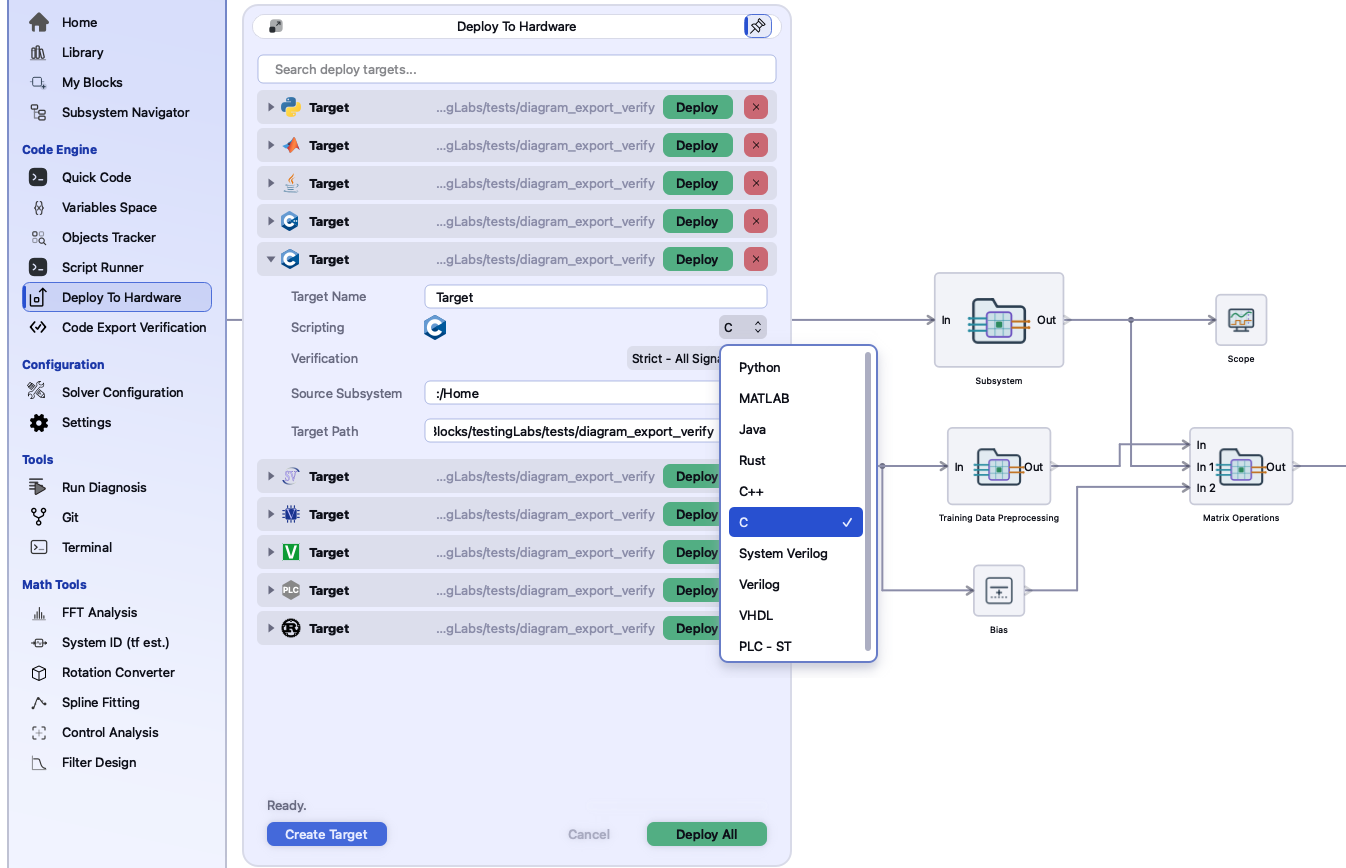
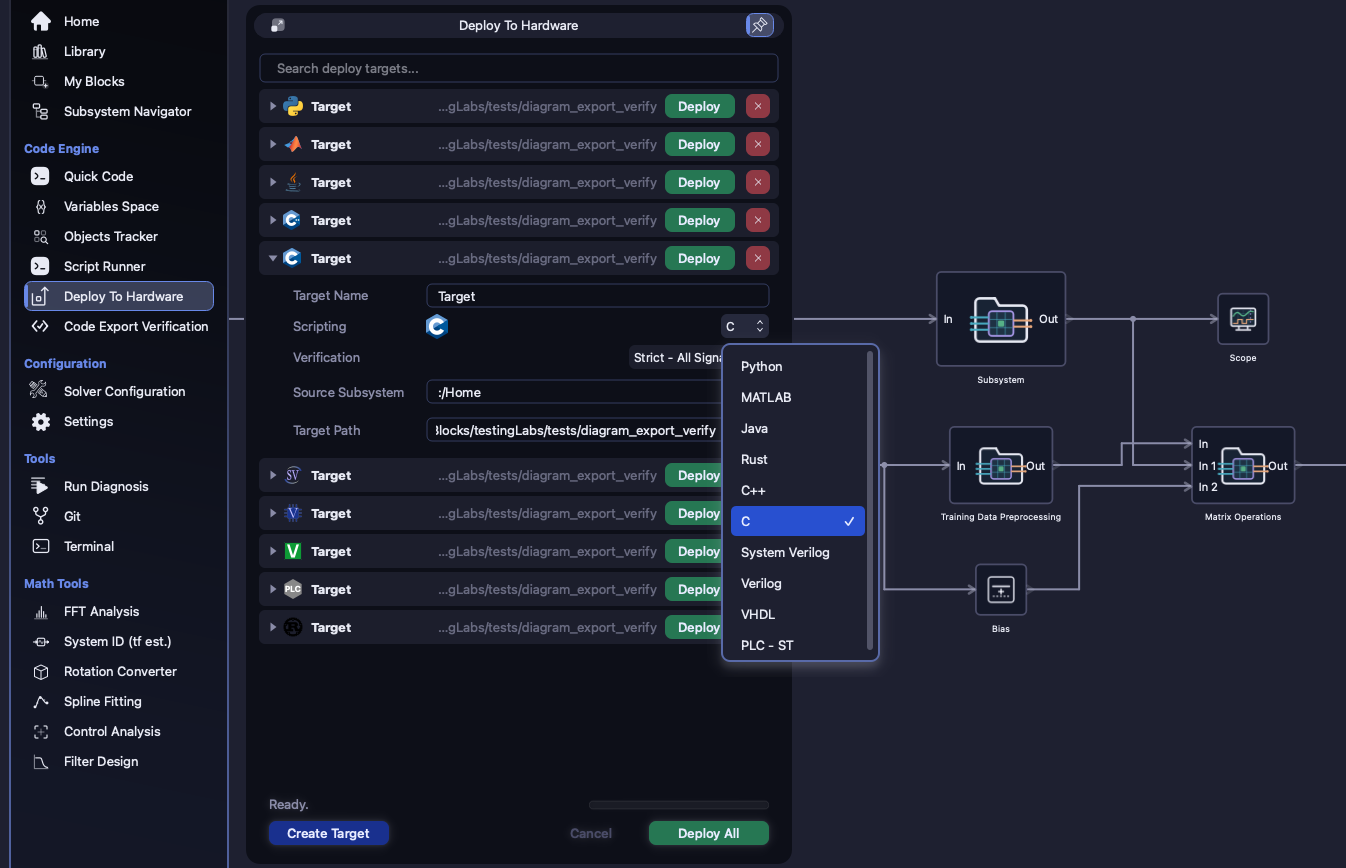
Deploy turns a subsystem, or the whole model, into a stand-alone program. Whichever of the ten languages you pick, it has the same shape: a core that advances the model by exactly one sample per call, a testbench that drives it, and a build file so the folder compiles as it is. Then ICore can build it with your own toolchain and compare it with the simulation, sample by sample.
The same five-block loop is exported on every target page. On the right is what Deploy wrote for its Ctrl_Gain block in each of the ten languages, with nothing edited.
/* blk2: ICore Blocks/Home/DPT_Feedback_Discrete/Ctrl_Gain */
static void blk2_solve(DeployableCore* core) {
    double input[1][1];
    memcpy(input, core->signals.sig1, sizeof(input));
    double output[1][1] = {0};
    for (int i = 0; i < 1; i++) {
        for (int j = 0; j < 1; j++) {
            output[i][j] = input[i][j] * core->params.blk2_gain[0][0];
        }
    }
    memcpy(core->signals.sig2, output, sizeof(output));
}// blk2: ICore Blocks/Home/DPT_Feedback_Discrete/Ctrl_Gain
struct Blk2 {
void solve(Signals& signals, const Params& params) {
auto gain = params.blk2_gain;
auto input = signals.sig1;
Mat<1, 1> output {};
for (std::size_t i = 0; i < output.size(); i++) {
for (std::size_t j = 0; j < output[0].size(); j++) {
output[i][j] = input[i][j] * gain[0][0];
}
}
signals.sig2 = output;
}
};// blk2: ICore Blocks/Home/DPT_Feedback_Discrete/Ctrl_Gain
struct Blk2 {}
impl Blk2 {
fn new() -> Blk2 { Blk2 {} }
fn solve(&mut self, signals: &mut Signals, params: &Params) {
let gain = params.blk2_gain;
let input = signals.sig1;
let mut output = [[0.0_f64; 1]; 1];
for i in 0..output.len() {
for j in 0..output[0].len() {
output[i][j] = input[i][j] * gain[0][0];
}
}
signals.sig2 = output;
}
}class Blk2:
def solve(self):
output = signals.sig1 * params.blk2_gain[0][0]
signals.sig2 = output function blk2_solve(obj)
gain = obj.params.blk2_gain;
input = obj.signals.sig1;
output = input * gain(1, 1);
obj.signals.sig2 = output;
end // blk2: ICore Blocks/Home/DPT_Feedback_Discrete/Ctrl_Gain
class Blk2 {
void solve() {
double[][] gain = params.blk2_gain;
double[][] input = signals.sig1;
double[][] output = new double[1][1];
for (int i = 0; i < output.length; i++) {
for (int j = 0; j < output[0].length; j++) {
output[i][j] = input[i][j] * gain[0][0];
}
}
signals.sig2 = output;
}
}-- blk2: ICore Blocks/Home/DPT_Feedback_Discrete/Ctrl_Gain
for i in 0 to 0 loop
for j in 0 to 0 loop
s.sig2(i, j) := resize(s.sig1(i, j) * blk2_gain(0, 0), s.sig2(i, j));
end loop;
end loop;// blk2: ICore Blocks/Home/DPT_Feedback_Discrete/Ctrl_Gain
acc = $signed(w_sig1[0*`ICORE_WIDTH +: `ICORE_WIDTH]) * $signed(blk2_gain[0*`ICORE_WIDTH +: `ICORE_WIDTH]);
w_sig2[0*`ICORE_WIDTH +: `ICORE_WIDTH] = acc >>> `ICORE_FRAC_BITS;// blk2: ICore Blocks/Home/DPT_Feedback_Discrete/Ctrl_Gain
acc = $signed(w_sig1[0][0]) * $signed(blk2_gain[0][0]);
w_sig2[0][0] = acc >>> `ICORE_FRAC_BITS;(* blk2: ICore Blocks/Home/DPT_Feedback_Discrete/Ctrl_Gain *)
sig2[0, 0] := sig1[0, 0] * gain_blk2[0, 0];Every export is organised the same way, whatever the language. One call to the core advances the model by one sample: one clock edge on the HDL targets, one scan on a PLC. Storage is fixed-size and nothing is allocated at run time. The order the blocks run in comes from the diagram.
Change a gain on the deployed core without regenerating it. In the loop above, blk2_gain
holds the 1.8.
sig0, sig1, and so on. Each is a fixed-size matrix, commented with the block and
port it comes from.
Every top-level input gate copies its field into signal storage at the start of the step.
Delay lines, filter histories and integrators live inside the core. The plant's u_hist and
y_hist are here.
Software targets compute in
double, or LREAL in Structured Text, unless a port carries another
signal type. The three HDL targets
compute in fixed point.
| Target | Deploy writes | One call advances one sample |
|---|---|---|
| C | <name>_deployableCore.h/.c, testbench, CMakeLists.txt | DeployableCore_init(&core), then execute_blocks(&core) |
| C++ | <name>_deployableCore.hpp, testbench, CMakeLists.txt | struct DeployableCore · execute_blocks() |
| Rust | <name>_deployableCore.rs, testbench, Cargo.toml | execute_blocks(&mut self) |
| Python | <name>_deployableCore.py, testbench | execute_blocks() · needs numpy |
| MATLAB | <name>_deployableCore.m, testbench | classdef … < handle · core.execute_blocks() |
| Java | <name>_deployableCore.java, testbench | executeBlocks() |
| VHDL | icore_pkg.vhd, entity, testbench, Makefile (GHDL) | one rising clk edge |
| Verilog | icore_defs.vh, module, testbench, Makefile (Icarus) | one clk edge |
| SystemVerilog | icore_defs.svh, module, testbench, Makefile (Icarus) | one clk edge |
| PLC · ST | <name>_deployableCore.st, testbench | FUNCTION_BLOCK FB_<name> - one scan |
Measured over the 806 library blocks, 749 support all ten targets.
The exceptions are blocks whose meaning ties them to software:
The subsystem block is counted too, but it writes no code of its own, because its contents do.
Each block's own page names the targets it implements, and every documentation build checks that list against the block's code.
Choose any verification level other than None and Deploy checks its own work before
it writes anything. The export is compiled and run on your machine, then compared with ICore's simulation of
the same subsystem on the same stimulus.
Uniform between Testing Amplitude Min and Max, one fresh draw per sample, written to
<name>_input.csv.
A recording testbench is exported and built with the toolchain that Auto-scan finds, or the one you point it at.
ICore runs its own simulation of that subsystem on the same CSV.
The largest absolute difference, as a percentage of the simulated peak, is checked against your tolerance.
language        pass  residual%   tol%
Python          PASS  0           0.1
C++             PASS  0           0.1
C               PASS  0           0.1
Rust            PASS  1.76e-16    0.1
Java, MATLAB    PASS  0           0.1
VHDL            PASS  0.00105     1
Verilog         PASS  0.001069    1
System Verilog  PASS  0.001062    1
PLC - ST        PASS  0           0.1
rustc on the path.python3 with numpygcc · g++rustcjavac and javamatlabghdliverilog and vvpiec2c, built in the app's own
tree, and gccIf a toolchain is missing, the result says
so by name, for example rustc not found., instead of failing in some vaguer way.
Four levels: None Output Gates Only Output Gates and Sink Blocks Strict - All Signals. If a check fails, Deploy asks before it continues. A green result means precisely this: the exported code, compiled by your toolchain, reproduces ICore's simulation of this subsystem on this stimulus, to within the tolerance.
VHDL, Verilog and SystemVerilog carry every signal in this one format, declared in
the generated icore_pkg.vhd, icore_defs.vh or icore_defs.svh. Their
residual against the simulation is therefore set by the number format, not by the generator.
s.sig2(i, j) := resize(s.sig1(i, j) * blk2_gain(0, 0), s.sig2(i, j));Add, multiply, compare, delay and saturate get a body that a synthesis tool builds into logic. The gain above is one of them.
-- Cartesian To Polar: SIMULATION-ONLY real arithmeticA square root, a four-quadrant arctangent, sin/cos, or a division by a signal
gets a body in the simulator's real type. It simulates and passes verification under GHDL or
Icarus, but it won't synthesize, and both the generated file and the block's page say so.
Each of these stops the export with a message that names the cause. Nothing is quietly approximated.
See also: Verification · One model, every rate, every target
Download the application from the customer portal, or read the documentation first - the manual, a page for every block, and the full command reference are public.